Top construction workflow
Top construction controls which real parts close or brace the cabinet at the top.
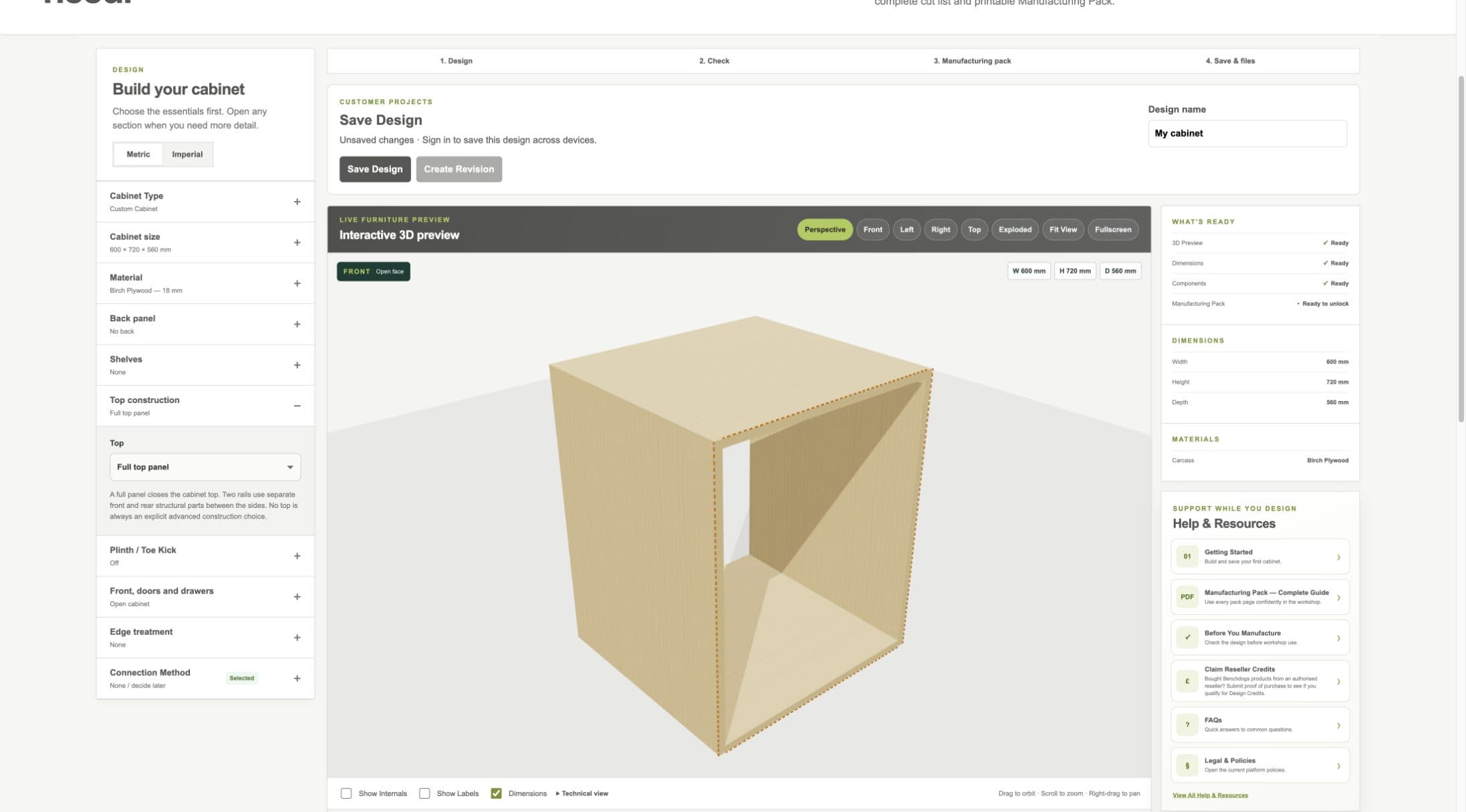
Current staging workflow: choose a full top, two support rails or no top.
- Top construction section
- Top option
- Top in preview
Full Top
- WHAT IS IT?
- A complete panel spanning the cabinet top.
- WHEN WOULD I USE IT?
- Use when the cabinet requires a closed full top.
- WHAT DOES IT CHANGE?
- Adds the full top part and its material, connections, cut list and drawing.
- HOW DO I SET IT?
- Choose Full top panel.
- EXAMPLE
- A wall cabinet with a complete top panel.
Two Support Rails
- WHAT IS IT?
- Separate front and rear rails spanning between the cabinet sides.
- WHEN WOULD I USE IT?
- Use when rails are the intended top bracing instead of a full panel.
- WHAT DOES IT CHANGE?
- Creates two manufacturing parts and updates connections, quantities, cut list and drawings.
- HOW DO I SET IT?
- Choose Two Support Rails and enter Top Rail Width.
- EXAMPLE
- Front and rear rails each 100 mm wide.
Top Rail Width
- WHAT IS IT?
- The front-to-back width of each support rail; the approved default is 100 mm.
- WHEN WOULD I USE IT?
- Keep 100 mm for the Benchdog starting standard or change it for the actual cabinet construction.
- WHAT DOES IT CHANGE?
- Canonical rail geometry, 3D, cut list, PDF, connection relationships and manufacturing identity.
- HOW DO I SET IT?
- Enter the required width in metric or imperial mode.
- EXAMPLE
- Changing from 100 mm to 80 mm makes both rails 80 mm wide.
No Top
- WHAT IS IT?
- An explicit choice to omit both the full top and support rails.
- WHEN WOULD I USE IT?
- Use only where the overall installation and construction genuinely require no top.
- WHAT DOES IT CHANGE?
- Removes top parts and their connections and material from outputs.
- HOW DO I SET IT?
- Choose No top.
- EXAMPLE
- A specialist installation whose top is supplied by a separate validated structure.
Workshop / Advanced Note
No Top does not certify cabinet strength or installation safety. Confirm the real bracing and fixing design.