Materials by component group
What it is: each major component group can use the carcass choice or its own material and thickness. This prevents a thin back or drawer bottom from being treated as carcass stock.
- Carcass
- Sides, bottom, top, rails and related structural carcass parts.
- Back
- The back panel material and thickness, independent of the carcass.
- Fronts
- Doors, drawer fronts and applicable fixed decorative fronts.
- Drawer box
- Drawer sides, backs and structural box fronts where present.
- Drawer bottom
- The separate bottom panel, often thinner than the drawer box.
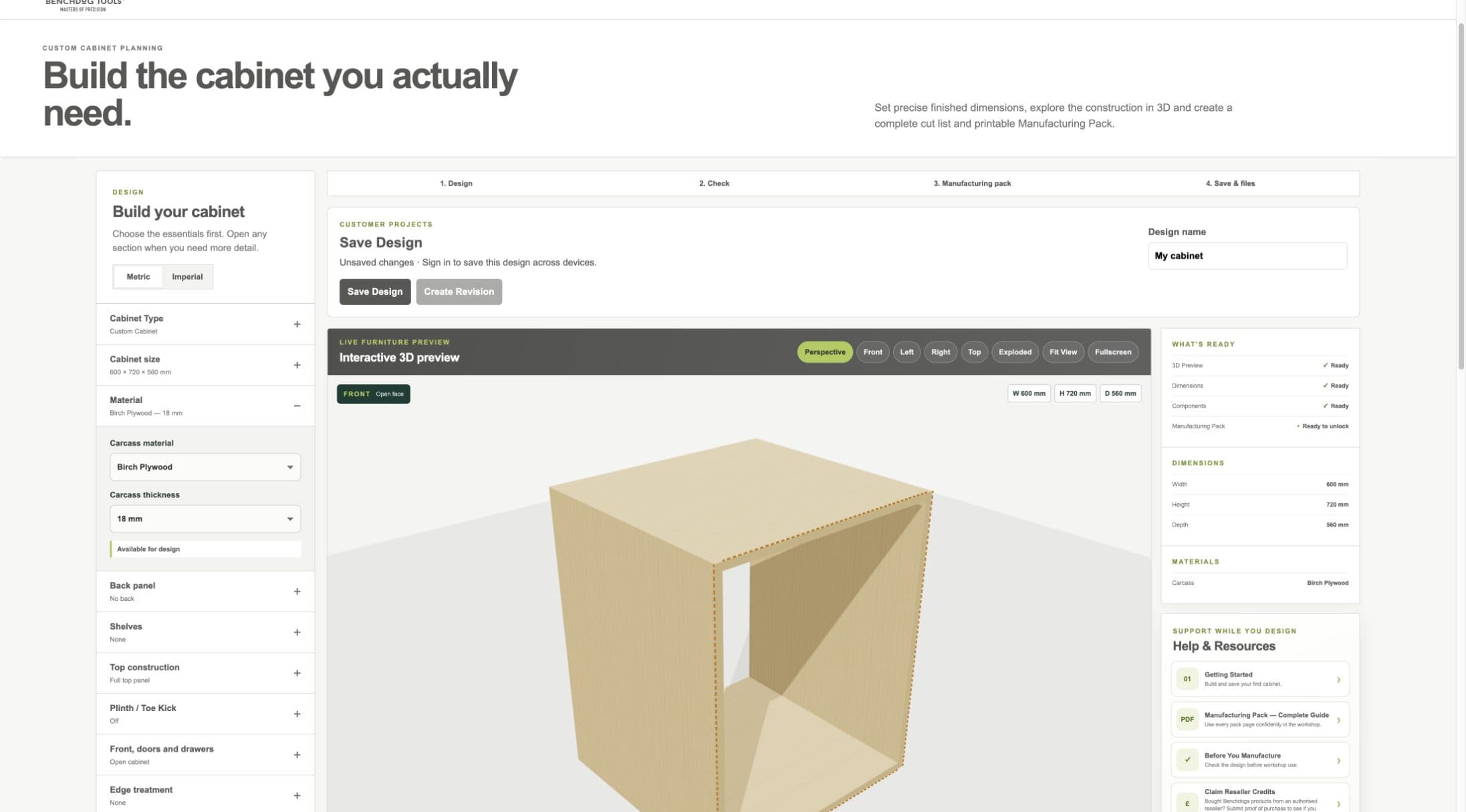
Current staging material workflow. Other component groups can use separate stock where their controls appear.
- Material section
- Material and thickness
- Material projection in 3D
Choosing material and thickness
Choose stock you can obtain and manufacture safely. Thickness is a real geometry input, not a label: it changes internal spans, part positions, drawer sizes and sometimes compatibility with your chosen fittings.
- When to use Same as carcass
- When the component genuinely uses identical stock.
- When to choose different material
- For example, an 18 mm MDF carcass with a 6 mm back, 15 mm birch plywood drawer boxes and separate front material.
- What it changes
- 3D appearance, geometry, cut list grouping, quantities, drawings and manufacturing identity.
Workshop / Advanced Note
Confirm the actual sheet thickness with a measuring tool before machining. Nominal and measured thickness can differ.