Finished dimensions
Width, Height and Depth are the finished outside dimensions of the cabinet, not the internal opening or raw sheet size. Measure the available space at several points and allow installation clearance, walls that are out of square and neighbouring fronts.
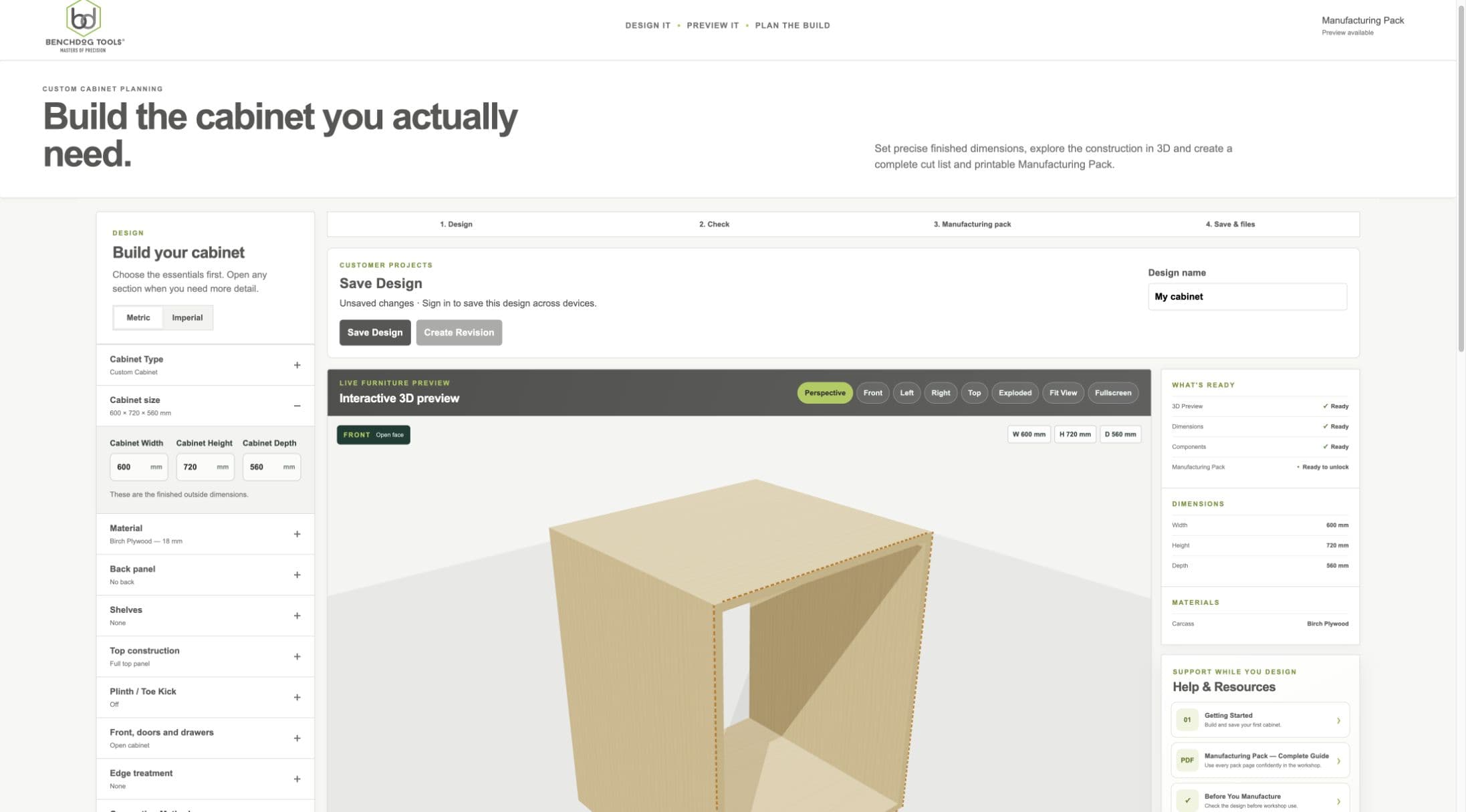
Current staging workflow: the three values are finished outside dimensions.
- Cabinet size section
- Width, height and depth
- Updated preview
Width
- WHAT IS IT?
- The finished outside distance from the left cabinet side to the right cabinet side.
- WHEN WOULD I USE IT?
- Set it to the cabinet width required by the room or furniture layout.
- WHAT DOES IT CHANGE?
- Side-to-side spans, top, bottom, shelves, fronts, drawers, quantities and drawings.
- HOW DO I SET IT?
- Measure the available opening and enter the required finished cabinet width.
- EXAMPLE
- A 600 mm entry creates a cabinet 600 mm wide overall.
Height
- WHAT IS IT?
- The finished outside distance from the cabinet bottom to the cabinet top.
- WHEN WOULD I USE IT?
- Set it from the required installed cabinet height.
- WHAT DOES IT CHANGE?
- Side lengths, front regions, shelf positions, backs, plinth relationship and drawings.
- HOW DO I SET IT?
- Measure vertically at more than one point and enter the intended cabinet height.
- EXAMPLE
- A 720 mm base carcass height excludes any separate worktop unless you deliberately include it.
Depth
- WHAT IS IT?
- The finished outside front-to-back cabinet depth.
- WHEN WOULD I USE IT?
- Set it to suit the installation, fronts, service space and intended internal storage.
- WHAT DOES IT CHANGE?
- Side depth, top and bottom depth, usable rear datum, shelf depth, drawer depth limits and drawings.
- HOW DO I SET IT?
- Measure from the intended cabinet front datum to the outside rear limit.
- EXAMPLE
- A 560 mm cabinet with a recessed back has less than 560 mm of usable internal depth.
Manufacturing-affecting changes and revisions
- WHAT IS IT?
- A change that alters real cabinet parts, positions, materials or manufacturing output.
- WHEN WOULD I USE IT?
- Whenever you change a size or other manufacturing input after saving.
- WHAT DOES IT CHANGE?
- The manufacturing identity changes and a new saved revision is required for a new pack.
- HOW DO I SET IT?
- Save or create the current revision after finishing the change; verify that revision before manufacturing.
- EXAMPLE
- Changing width from 600 to 650 mm changes panel sizes and therefore creates a different manufacturing revision.
Workshop / Advanced Note
Metric and imperial are entry/display modes. Millimetres remain the canonical internal unit, so changing display units alone must not change geometry.