Using the viewer
Drag to orbit, scroll to zoom and right-drag to pan. Perspective is the normal working view; Front, Left, Right and Top give repeatable checks. Fit View brings the cabinet back into frame.
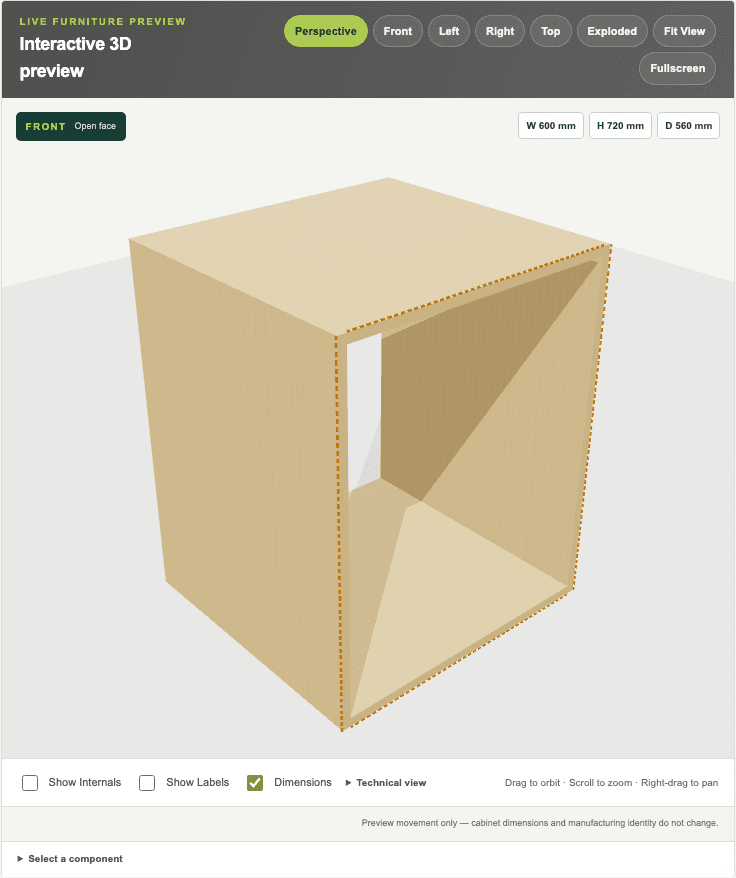
Actual staging 3D preview using the default cabinet.
- Standard and exploded views
- Cabinet and selected-part view
- Internals, labels and dimensions
- Select a component
Inspection tools
- Exploded
- Separates parts visually so their relationship can be inspected. It does not change the cabinet.
- Show Internals
- Makes internal parts easier to inspect behind fronts or carcass panels.
- Show Labels
- Adds component names or references for orientation.
- Dimensions
- Shows the current overall and selected dimensional information.
- Component selection
- Select a part to inspect its role and relevant details.
- Doors and drawers
- Closed, half and open controls preview movement. They do not alter manufacturing geometry.